Ayhan Güngör · 5 projects

I build where AI meets analytics & decisions.

Each of these turns data someone already has into an answer they can act on. CureSight answers pharma sales questions in plain English or Turkish and shows how every number was calculated. Keystone Delta reads raw World of Warcraft logs and ranks what cost a run the most time. Remap sorts a LinkedIn export by line of work, and Staylog counts the days each of us spends in each country against tax and visa rules. AI Meter reads the plan limits of the AI tools I code with, Claude, Codex, Copilot, Cursor and Gemini, and says when one moves.

The common thread: the answer comes with its evidence, so a person can check it before deciding.

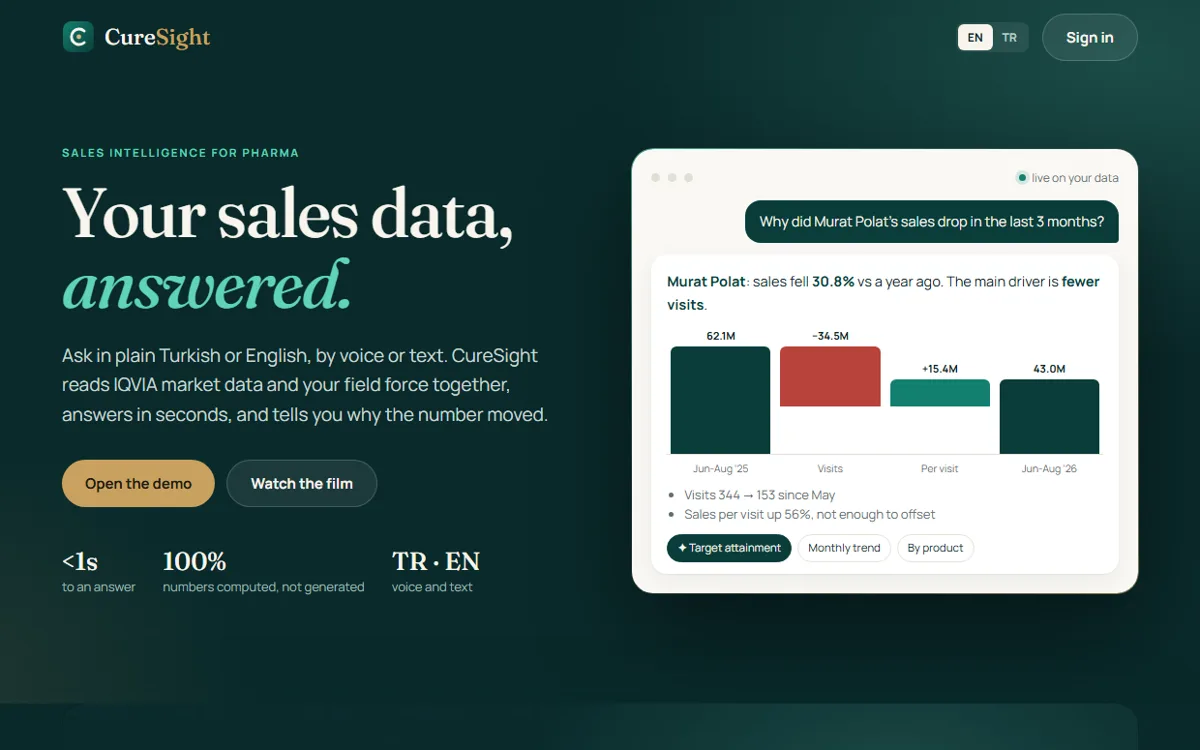
CureSight: ask a question about sales data and get the number, the reason and a chart

Pharma × Conversational AI · My product · Live demo · Phase 1

CureSight

Ask pharma sales data, get the number

Conversational reporting for pharmaceutical sales teams. Ask in English or Turkish, by text or voice, and get the number, its comparisons, a chart and how it was calculated.

  • Rules-first planner: the model is called only when the rules are unsure, and every plan is validated against the catalogue before it runs.
  • SQL is the only source of numbers. The narrative is written from computed figures, and the query behind every answer is one tap away.
  • "Why?" on any change: exact price, volume and mix decomposition, plus a hands-free talk mode with no AI cost.
  • "What changed" scan: the last three months against a year earlier, surfacing share loss, challenger launches, regions behind and reps under target.
  • Voice in every browser: where the browser cannot recognise speech, our own server does it, and the audio never leaves it.
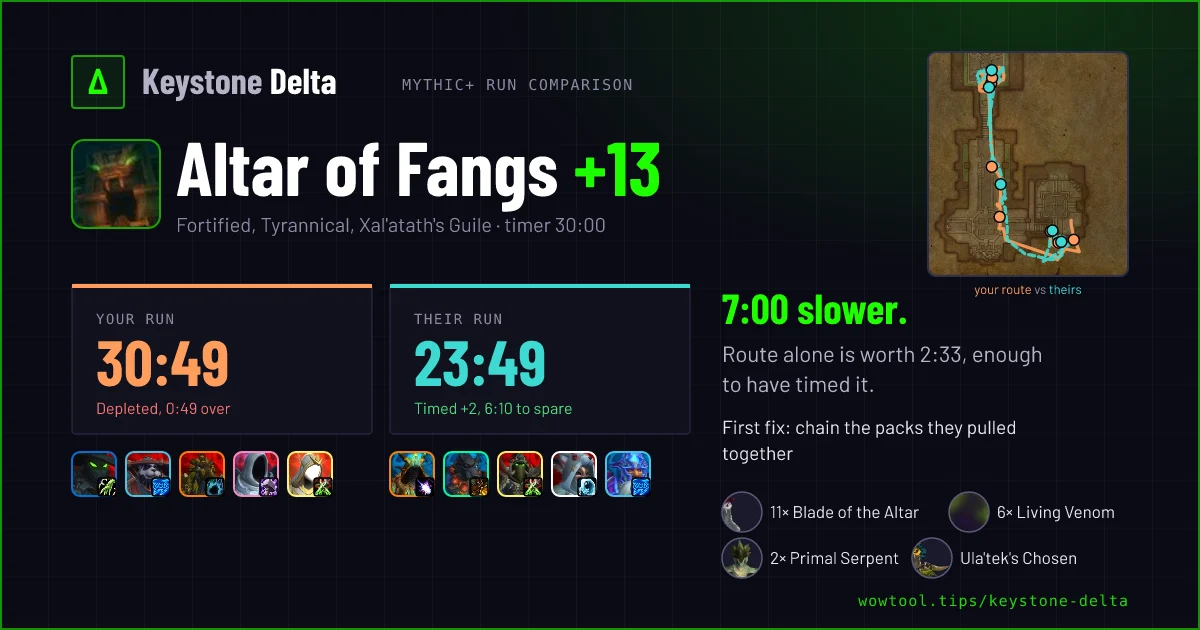
Keystone Delta run comparison card: route on the map, 30:49 against 23:49

Games × Analytics · Ninth Life Lab · Live · paid plans

Keystone Delta

Explains every lost second in a World of Warcraft run

Built for World of Warcraft Mythic+ players. An insight engine over raw event logs: it reconstructs what happened, prices every lost second against a peer benchmark and returns ranked, explainable advice in 15 languages. Consumer domain, the same evidence-to-recommendation pipeline enterprises ask for.

  • Pull-by-pull story of the run, with death cards that show the cause and what the player had in hand.
  • Per-spell analysis: cooldown efficiency, defensives carried, rotation and buff uptime.
  • Healer view that measures healing against what the run demanded.
  • Part of WowTool.tips: the site also ships a Chrome and Firefox extension that brings back Wowhead pages and tooltips for players in countries where the site does not load, with the site in 17 languages.
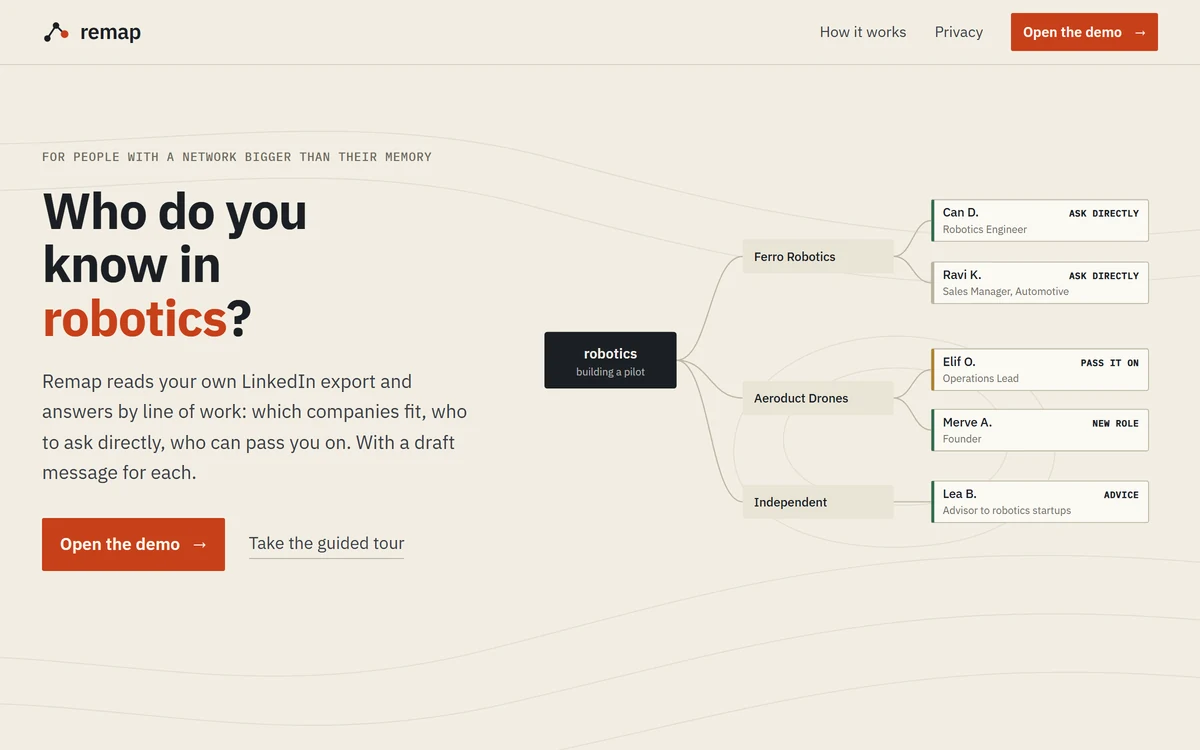
Remap: Who do you know in robotics? Next to it, a map from the field to companies to people, marked ask directly, pass it on, advice and new role

Professional networks × AI · Ninth Life Lab · Live · prototype

Remap

Finds who in my network does what, now

Thousands of LinkedIn connections, and no memory of who does what today. Remap reads my own LinkedIn export, sorts people by line of work (field and role, not company), spots who changed jobs between exports, and answers questions like "who do I know in robotics" or "I need a facilitator for cross-border payments" as a map from field to company to person, with a draft message for each.

  • Line of work, not company: every contact sorted by field and role, so a payments advisor at a consultancy shows up under payments.
  • Four kinds of ask: right company and role, ask directly; right company, other role, ask them to pass it on; right person elsewhere, ask for advice; neither, but a warm investor, ask for an intro. Each with a draft in English or Turkish.
  • Warmth from message history: close, warm, known or dormant, from message counts and dates only, never the content.
  • Private by design: the export stays on my own computer; the public page is a demo with made-up people.
  • Asks by meaning, in any field: niche questions such as vaults or card issuing, Turkish job titles, a company lookup when a name is unknown, and visitors can open their own LinkedIn export in the browser.
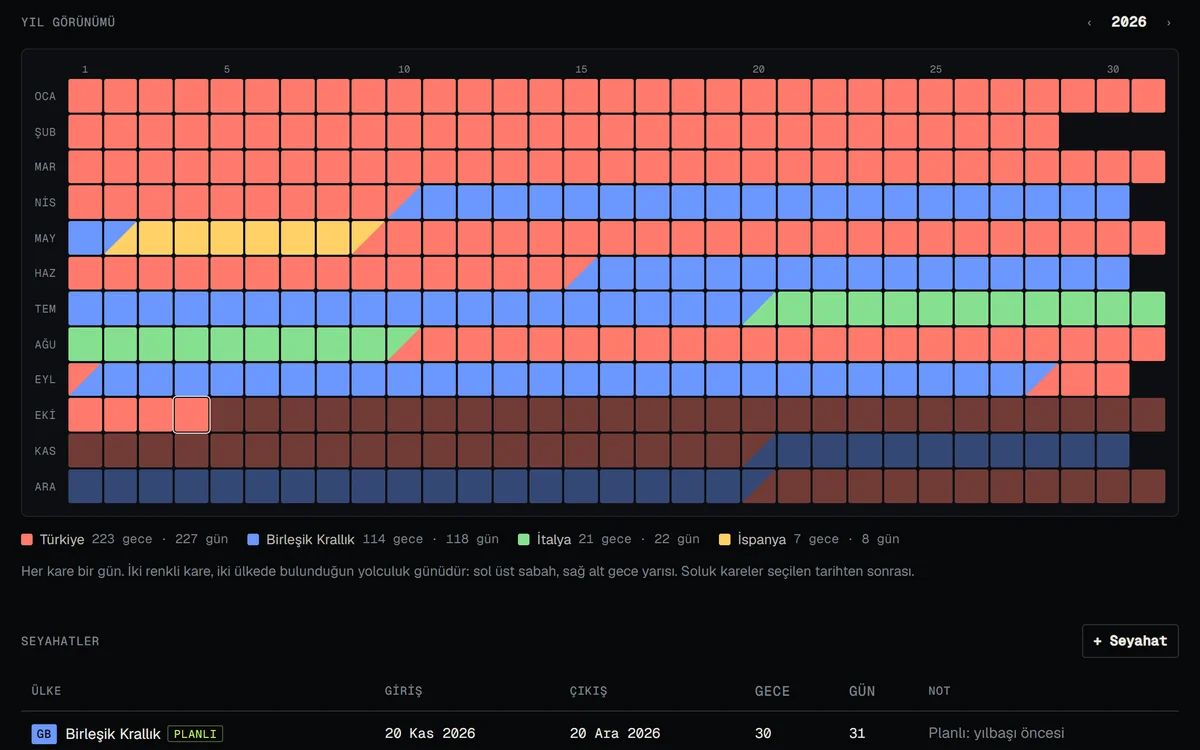
Staylog year view for a sample person: one square per day, coloured by country, with travel days split between two countries

Travel × Tax and visa rules · Ninth Life Lab · Live · prototype

Staylog

Counts the days each of us spends in each country

Counts the days each person in the family spends in each country, against the rules that decide tax and visa status: UK tax residence, Schengen 90/180, US naturalization, ESTA and I-94, US substantial presence and Turkish 183-day residence. Built to replace the spreadsheet we kept by hand.

  • Rules, not guesses: each counter shows days used, days left and the latest safe exit date, with how it is counted one tap away.
  • Imports what the family already has: a pasted spreadsheet, a backup file, or US I-94 records from a PDF, screenshot or text, read in the browser.
  • No account, no server: everything stays in the visitor's own browser, and a sample family shows how it works.
  • Made for a family: one trip for several travellers, citizenships that switch off the limits that do not apply, a report for any date range with PDF and Excel export, and an optional location check that offers to log a new country.
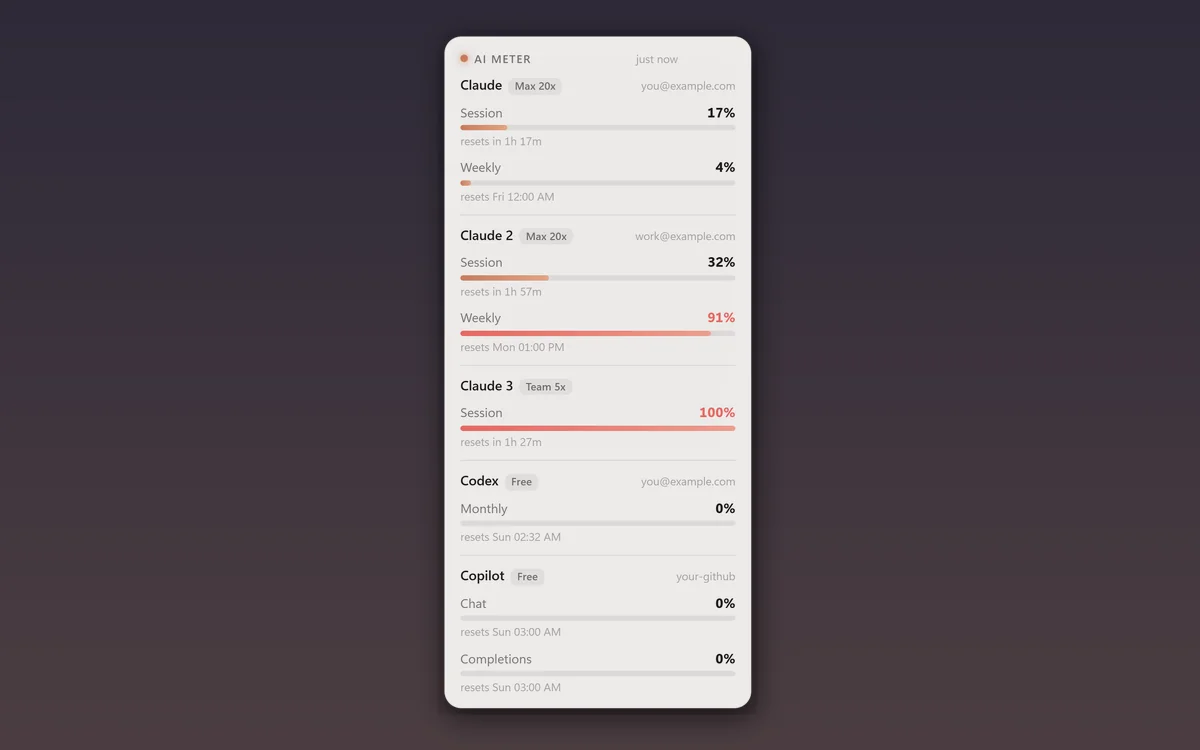
AI Meter widget: session and weekly limits for three Claude logins, Codex and GitHub Copilot, each with a bar and its reset time

Developer tools × AI · Ninth Life Lab · Free · Windows 10 and 11, Mac experimental

AI Meter

AI plan limits for every tool, always on top

I work across several AI coding tools and logins, and each has its own limits. AI Meter is a small window that stays on top of everything and shows them side by side: every Claude Code login, Codex and ChatGPT, GitHub Copilot, Cursor and Gemini CLI. It reads the logins those tools already have, so there are no API keys to paste.

  • Every tool at once: session, weekly and monthly limits with their reset times, for each login of each tool, in a widget that stays on top and can be compact, see-through or click-through.
  • Quiet by design: a notification fires only when a percent moves into a new step of 1, 5 or 10%, chosen per login and per limit. A busy server is retried with growing waits, and the row says how old its numbers are.
  • Stays on your machine: it talks only to each tool's own usage service, with the login that tool already keeps. Nothing is sent anywhere else.
  • Download: an installer or a portable file for Windows 10 and 11. The file is not signed yet, so Windows shows "Windows protected your PC": choose More info, then Run anyway. At least one supported tool has to be signed in.
  • Mac, experimental: builds for Apple Silicon and Intel, for macOS 12 or newer, not yet tested on a real Mac. The file is not signed, so open it the first time with right-click, then Open. Cursor is not supported on Mac yet.
  • Still being checked: Cursor and Gemini CLI are tested on sample data so far, and Gemini CLI shows limits only for Workspace and Code Assist accounts.

Want something like this for your team or product?